What we discuss in this blog
Want to train with purpose and track your progress on your indoor bike? Don’t focus on a single number. Instead, look at the combination of your indoor cycling data:
- Wattage (Power): Shows how much power and energy you are delivering to the pedals.
- RPM / Cadence (Pedalling Rate): Shows how quickly you are pedalling, measured in revolutions per minute.
- Heart Rate (Effort): Shows how hard your body is actually working.
- Speed & Distance: Provide insight into your training volume and can help with motivation, depending on your bike’s settings.
- Track Zones (CycleMasters): Translate your data, such as your FTP or maximum heart rate, into a personalised intensity level ranging from zone 1 to zone 5.
Wattage shows what you are producing, while your heart rate shows how your body responds. By combining these values and aligning them with your personal goals, you can always train at the right level—with or without sensors.
Why riding by feel alone is not enough
You get on your bike, start a workout and turn up the resistance. When the workout is over, you step off feeling satisfied—but do you know whether you have made progress compared with a few weeks ago? Can you maintain the same intensity for longer, and are you using enough resistance? Are you pedalling at the right pace? How demanding was the workout, really?
If you rely entirely on how you feel, you may not always get an accurate picture. After all, how do you know whether you started the workout with the same amount of energy and commitment, or set the resistance as high as you did in the previous class?
Several types of training data can help you determine whether you are riding at the right speed or intensity. Values such as wattage, RPM, speed, distance and heart rate make it much easier to assess whether you are progressing. Match this data with the specified levels in the workout, and you can train at your own level while working specifically on your cardiovascular fitness, muscle strength or fat burning.
Why train with data?
Training with data can help you make better decisions, both during and after your workout. You can assess whether you are training at the right intensity and following the instructor’s guidance correctly. This helps you distribute your energy throughout the class. Over time, you will also begin to see improvements reflected in your data.
Among other things, data can help you:
- Choose the right intensity during a workout.
- Follow the instructor’s guidance more accurately.
- Distribute your energy effectively throughout a class.
- Recognise progress over several weeks.
It is important not to treat the numbers like a score. Their main purpose is to provide insight into what you are doing during a workout and how that effort feels. Your performance can vary depending on factors such as sleep, stress levels, temperature and recovery. Although data can guide you, completing one workout with less resistance or a higher heart rate does not necessarily mean that you trained less effectively.
Which training data can you use?
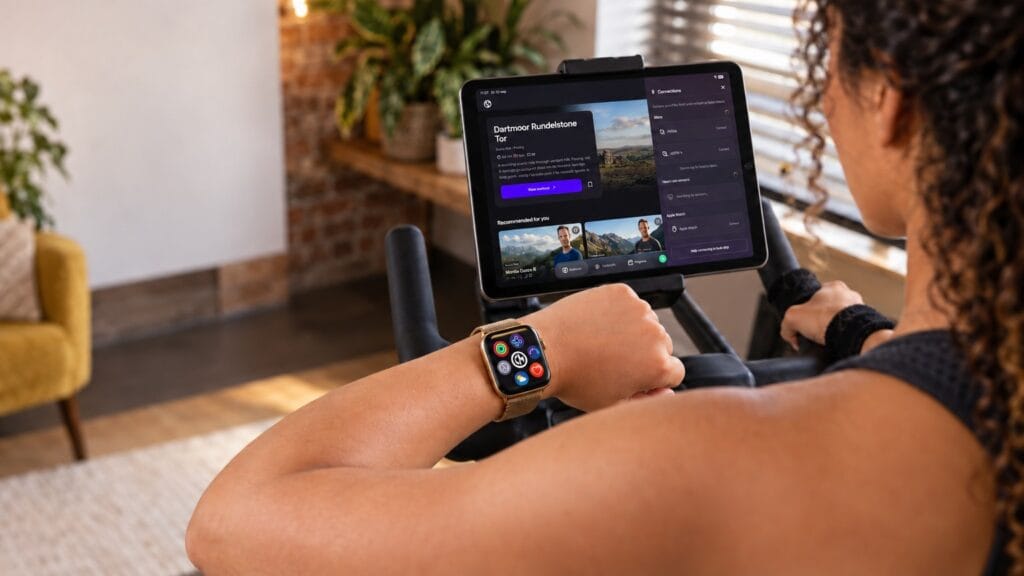
During a CycleMasters indoor cycling workout, you can track several types of data. Each value tells you something different. Wattage, for example, shows the power you are producing on the bike, while your heart rate shows how your body responds.
| Value | Provides insight into |
|---|---|
| Wattage | The power you are producing |
| RPM/cadence | How quickly you are pedalling |
| Speed | Your cycling pace |
| Distance | The number of kilometres covered |
| Heart rate | How your body responds to the effort |
| Training zones | The intensity at which you are training |
| Calories | An estimate of your energy expenditure |
| Time | The remaining duration of a track and the class |
You do not need to monitor all this data at the same time. The most useful values depend on your goal and the sensors you can connect.
Wattage: how much power are you producing?
Wattage shows how much power you are producing on the bike at that moment. Put simply, the harder you pedal and the more resistance you use, the higher your wattage will usually be. Wattage therefore provides a direct indication of the work you are doing on the bike.
A higher wattage does not automatically mean that you are training more effectively. What feels demanding to one rider may be manageable for another. Factors such as cardiovascular fitness, experience, body weight and strength all play a role. A fixed wattage is therefore not a suitable training target for everyone.
It is more useful to compare your wattage with your previous workouts. Can you maintain the same power for longer during a similar workout? Or can you produce more watts while experiencing a similar level of effort? If so, that may indicate progress.
When you connect a bike that measures wattage, CycleMasters also uses your power output to determine your personal training zone. Your wattage is compared with your FTP for this purpose.
Read more about wattage and power here.
What is FTP?
FTP stands for Functional Threshold Power. It is a measure of the power, expressed in watts, that you can sustain for an extended period at a high but manageable intensity. The higher your FTP, the more wattage you can generally produce at a given relative intensity.
For example, an experienced cyclist may produce much more wattage in zone 4 than someone who has only just started. Nevertheless, both riders are training at an intensity appropriate for their individual level.
CycleMasters uses your FTP to calculate your personal wattage zones. This means you do not have to work towards one general wattage target during a track. Instead, you follow a zone based on your own starting value.
Entering or estimating your FTP
Do you already know your FTP from a previous test, your bike computer or another training platform? You can enter this value manually in the app.
Don’t know your FTP yet? The app can estimate it based on your weight and level. Your weight is used solely for this purpose. An estimated FTP provides a good starting point. If you obtain a more accurate value later, you can update your FTP.
RPM or cadence: how quickly are you pedalling?
RPM stands for revolutions per minute and indicates how many complete pedal revolutions you make in one minute. This value is also referred to as cadence or pedalling rate. A cadence of 80 RPM means that your pedals complete 80 full revolutions in one minute.
RPM helps you follow the pace of the workout. If the coach asks you to accelerate, you can immediately see whether your pedalling rate is increasing. During many indoor cycling workouts, the cadence is supported by the rhythm of the music, making it easier to maintain the required pace.
A high cadence does not automatically mean that you are training at a high intensity. You can pedal quickly with very little resistance. Conversely, you can produce a significant amount of power at a lower cadence with plenty of resistance. That is why you should also consider your resistance, wattage, zone and perceived effort.
To view your RPM during a CycleMasters class, you need a connected bike or cadence sensor. This value appears as Cadence in the class interface.
Read more about RPM in our blog about training with RPM and cadance.
Speed: how fast are you riding?
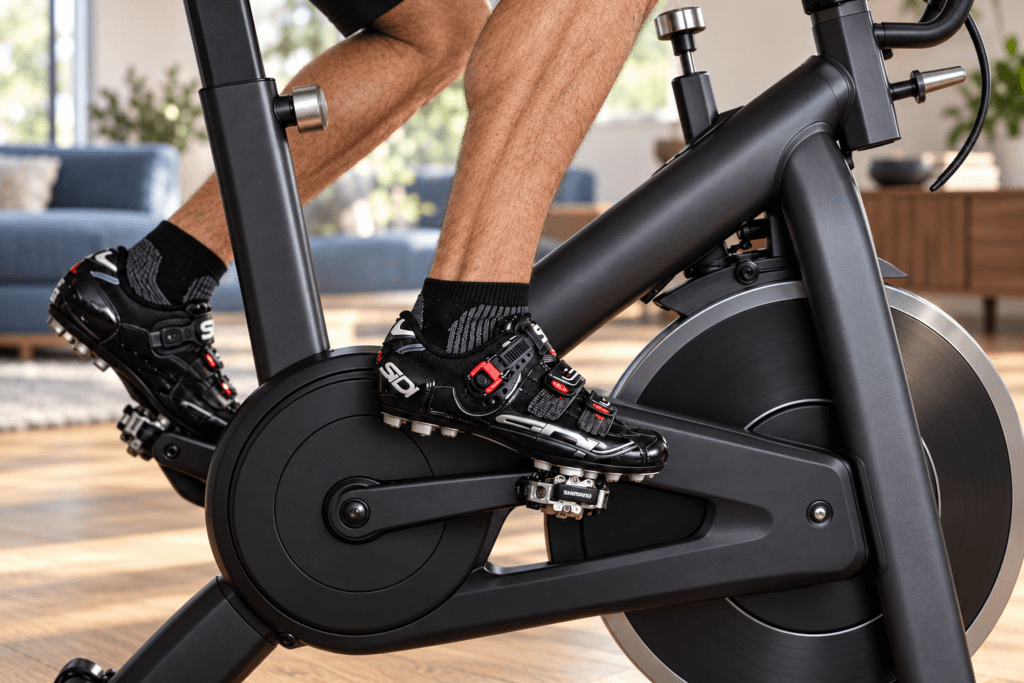
Speed indicates how fast you are riding according to your indoor bike’s measurements. Although you are not actually moving through your living room—unless something has gone seriously wrong—this value makes your workout feel more tangible. It can be motivating to watch your speed increase during an acceleration or to track your average pace across similar workouts.
Speed is displayed as Speed in the CycleMasters interface. This value is only available when you have connected a bike that transmits speed data.
The way speed is calculated can vary between brands and models. As a result, a certain speed on one bike may not be directly comparable with the same speed on another. It is therefore best to use speed when comparing workouts completed on the same bike. If you want a more accurate indication of the effort you are producing, wattage and your personal zone will generally provide more useful information.
Distance: how many kilometres have you covered?
Distance shows how many kilometres you have covered during a workout. This value appears as Distance in the interface. Without a connected bike, the distance is estimated. With a connected bike, CycleMasters can use the distance data provided by the bike.
Distance can be a useful way to monitor your training volume. You might want to ride a certain number of kilometres each week, gradually increase your total distance or simply see how many kilometres are on the clock after a demanding class.
As with speed, distance calculations can vary between bikes. You should therefore compare distances recorded on the same bike and avoid treating the number as the only measure of a good workout. A short workout containing intense intervals can be more demanding than a longer class completed at a relaxed pace.
Heart rate: how does your body respond?
While wattage shows what you are producing on the bike, your heart rate shows how your body responds to that effort. At a higher intensity, your body needs more oxygen and your heart beats faster. Heart rate can therefore help you assess how demanding an effort is for you personally.
Your heart rate does not respond only to the workout itself. Sleep, stress, heat, hydration, caffeine and recovery can all have an effect. The same class may consequently feel different and produce a different heart rate from one day to the next.
With a connected heart rate monitor or Apple Watch, CycleMasters displays your current heart rate as Heart Rate. The app compares this value with your maximum heart rate to determine your personal heart rate zone.
Heart rate generally responds more slowly to changes in effort than wattage. When you begin a short sprint, your power rises almost immediately, while your heart rate needs some time to catch up. During short tracks, your heart rate may therefore continue to rise even after the hardest part of the effort has ended.
What are Track Zones?
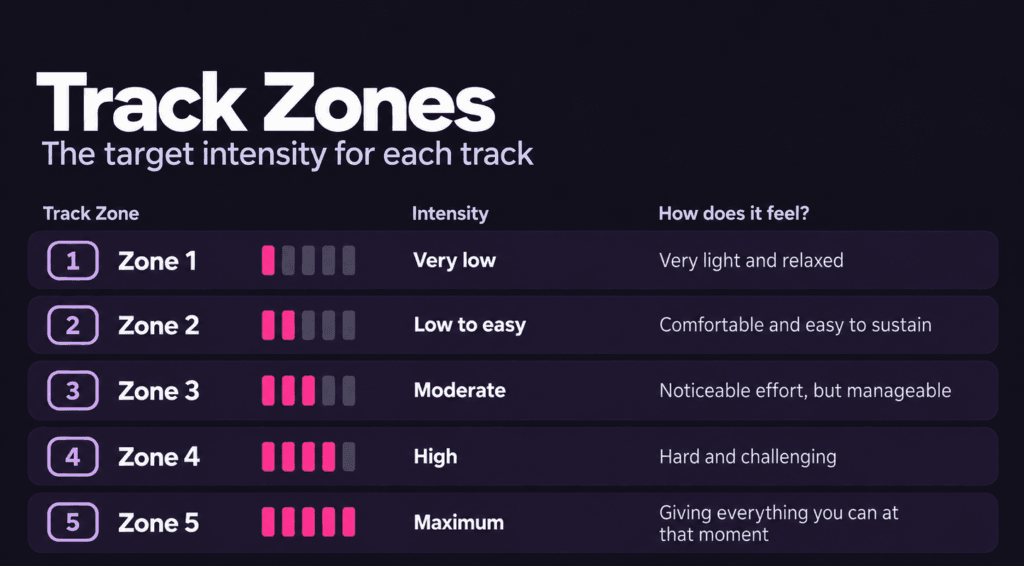
During every CycleMasters class, you will see a Track Zone for each track. This is the intensity target for that part of the class. Track Zones range from 1 to 5. The specified Track Zone is not a fixed speed, heart rate or wattage that is the same for everyone. It is a personal intensity target. CycleMasters translates the zone into a percentage based on your maximum heart rate or FTP. This allows the same track to challenge every rider. A zone 4 track feels intense for both a beginner and an experienced cyclist, even though their heart rate and wattage may differ significantly.
Following Track Zones based on heart rate
Do you train with a connected heart rate monitor or Apple Watch? If so, your zones are based on your maximum heart rate. The Track Zone indicates the percentage of your maximum heart rate at which you should train during that part of the class.
Your current heart rate shows how your body is responding to the effort. Because your heart rate may rise and fall with a slight delay, you do not need to add more resistance immediately if you have not yet reached the specified zone at the beginning of a track. Give your body a little time to respond to the new intensity.
For accurate zone calculations, it is important to set your maximum heart rate as precisely as possible. A general formula can provide an initial estimate, but your actual maximum heart rate will vary from person to person.
Following Track Zones based on wattage
Do you train with a connected bike that measures wattage? CycleMasters will then use your FTP as your personal reference value. The Track Zone is converted into a target percentage of your FTP.
Wattage generally responds immediately to changes in your pedalling rate and resistance. If you increase the resistance or pedal more forcefully, you will see the effect almost instantly. This lets you adjust more quickly during short intervals than when you rely on your heart rate alone.
In the class interface, Zone shows the zone in which you are currently riding. With a connected bike, this zone is calculated using your wattage and configured FTP. Target Zone shows the zone you should be working towards during the current track.
No connected heart rate monitor or bike?
You can still follow the Track Zones without connected sensors. Use your perceived effort, breathing and the coach’s guidance as your reference points.
Zone 1 should feel very light and relaxed. In zone 3, you are making a noticeable effort but can still maintain the pace comfortably. Zone 5 is your maximum: you give everything you can at that moment and can sustain the effort for only a short time.
You therefore do not need a sensor to train with Track Zones. A connected heart rate monitor, Apple Watch, bike or cadence sensor simply gives you additional insight into how your effort compares with the target for the track.
How do the values complement one another?
A single number never tells the full story of your workout. Combining different values gives you a clearer picture of both what you are doing and what your body needs to do in response.
Together, wattage and cadence show how your power is being produced. If you pedal quickly with little resistance, your cadence can be high while your wattage remains relatively low. Add resistance while maintaining the same pace, and the power you produce will increase.
Wattage and heart rate also complement one another. Wattage immediately shows what you are producing, while your heart rate shows how your body responds. Are you producing the same wattage during a familiar workout as you did a few weeks ago, while your heart rate remains lower and the effort feels easier to manage? That may indicate progress. If your heart rate is higher than usual, factors such as fatigue, stress or heat may be playing a role.
The combination of Target Zone and Zone makes it easier to adjust your effort during the class. The Target Zone shows where you should be heading, while your current Zone shows where you are training at that moment. This helps you decide whether to add some resistance, adjust your pace or ease off slightly.
Which values are relevant to your goal?
The data you should focus on depends on what you want to achieve with your training. You do not need to monitor every number during every class.
| Your goal | Focus primarily on |
|---|---|
| Follow the workout accurately | Target Zone, Zone and Cadence |
| Improve your cardiovascular fitness | Heart rate, Track Zones and class duration |
| Develop more power | Wattage, FTP and cadence |
| Perform intervals more effectively | Wattage, Target Zone and heart rate |
| Track your progress | Wattage and heart rate during comparable workouts |
| Increase your training volume | Distance and total class duration |
| Improve your pedalling rate | Cadence |
| Exercise calmly and with control | Track Zone, heart rate and perceived effort |
Ideally, choose one or two values that match your goal. If your main priority is following the coach’s pace, focus on your cadence. If you want to train more specifically based on power, use your FTP-based wattage zones. To understand how your body is responding, heart rate is more informative.
Adjusting your data display and settings
Would you like to know exactly which data appears on your screen during a CycleMasters class, how to connect your sensors or how to configure your personal FTP value? Our help centre provides step-by-step instructions for all your devices:
Train at your own level with CycleMasters
Training data helps you translate the coach’s guidance to your own level. The Track Zone tells you how intense a particular part of the workout should be. Your heart rate or wattage shows what that effort looks like for you personally. Cadence helps you find the right pedalling rate, while speed, distance and time provide additional insight into how your workout is progressing.
Don’t have a connected sensor? You can still follow every Track Zone based on perceived effort. If you connect a heart rate monitor, Apple Watch, bike or cadence sensor, you will receive more information during the class to monitor your effort and make adjustments when needed.
This means you no longer have to guess whether you are training at the right intensity. You pedal; CycleMasters does the calculations.